To schedule your appointment online, please click the link below. You will be directed to our medical records system, which is fully integrated with online scheduling for your convenience!
New Patients – When scheduling, please carefully select your preferred OSI location, because it will list out all locations inside of our managed service organization (Therapy Partners). Once scheduled, you will receive an email with intake paperwork to complete. Completing this ahead of time helps reduce documentation burdens for your provider, allowing them to focus fully on you and your care during your visit. We appreciate your thoroughness!
**For 3M Clinic specifically, we ask that if you are scheduling after 3PM online, do not schedule an evaluation before 7:30 AM the next business day to allow proper time for processing**
Existing Patients – Your case will automatically populate with your preferred clinic location. If you don’t see your preferred time or location, please reach out – we’re happy to help!
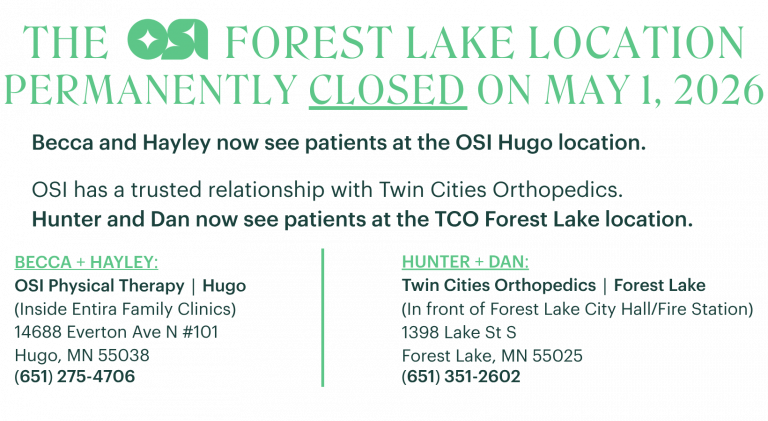
To schedule an appointment at OSI Hugo or any of the other nearby OSI clinics, please call OSI directly, or CLICK HERE to schedule online.
To initiate the transfer of your care from OSI Forest Lake to TCO Forest Lake, CLICK HERE to access the Release of Information form and please print/fill it out.
To schedule an appointment at TCO with Hunter or Dan: please call TCO Forest Lake, or check the “Call Patient to Schedule” box on the Release of Information form so that TCO can reach out to you once the form is received.